The most important part of setting up your custom chatbot is giving him all the information about your business.
By default, Chatmake bots are configured to not answer anything they don't know to prevent them from inventing information. This means you should have a complete knowledge base.
To manage your chatbot knowledge, tap on "Knowledge" on the home screen. Here you see a list of knowledge base entries. Each entry contains:
The title and description are used by the chatbot's underlying LLM to create answers based on it. You can add images optionally, which the chatbot uses in their replies.
Example image use case: You have an "About me" knowledge entry, describing your services and background. You can include a portrait image, so the chatbot will present the portrait alongside information about you when a customer asks about your background.
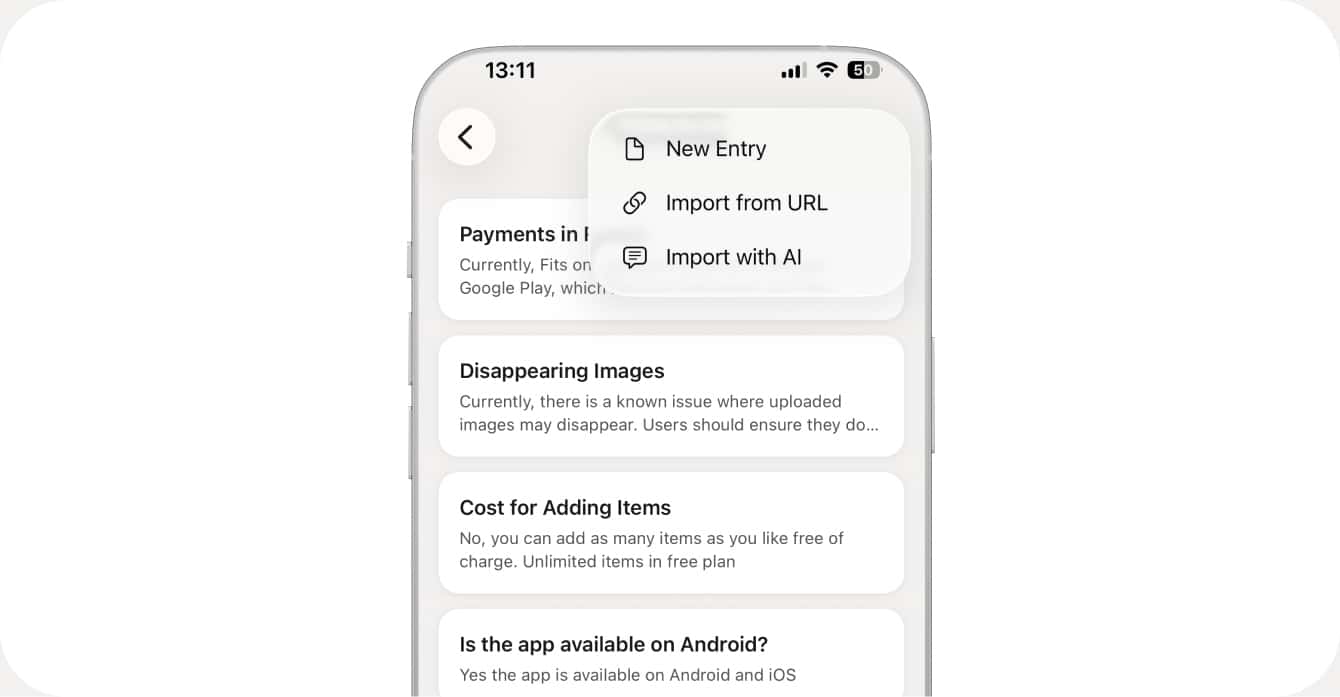
You have 3 ways to adding knowledge: Manually, importing via URL and importing via AI. Manual is easy but time-consuming so we recommend starting with importing your website and fill gaps with AI.
Select the plus button, then "Import URL". Add your website link here. You can then choose wether to import only this specific URL or crawl subpages (for example.com/blog, example.com/about-us and so on). It will never crawl pages on another domain, for example if your website links to external URLs, you'll need to import them one by one.
Import with AI is a powerful feature that let's you add or edit knowledge base entries with your own AI agent. Think of it like a librarian that knows your knowledge base and acts on your requests. You can ask the AI to do anything related to your knowledge base. Some example actions can be: