Why turn your LinkedIn into a chatbot?
- Stand out from hundreds of applicants with a unique, interactive CV link
- Win more freelance clients with a 24/7 AI that answers questions about your experience
- See exactly what recruiters and prospects ask about you
- Set it up in 10 minutes, no coding needed
- Share one link everywhere: job apps, LinkedIn bio, X bio, email signature
This guide shows you how to turn your LinkedIn into a ChatGPT-style chatbot using Chatmake, and share it as a link in your applications, your LinkedIn bio, or your X profile. Takes about 10 minutes.
Why a chatbot version of your CV?
Stand out in a stack of 200 applications
A recruiter opens your application and sees a link to chatmake.app/yourname instead of a regular PDF. That's different. That's memorable. It shows you understand AI and care enough to do something creative. For tech, product, marketing, or any role where being forward-thinking matters, this is a real advantage.
Win more clients as a freelancer
Most portfolio sites are static pages people browse passively. A chatbot flips that. A potential client can ask "What's your experience with React Native?" and get an answer instantly. It's like a 24/7 sales rep who knows your entire career history.
Learn what people actually want to know about you
When someone chats with your bot, you can see exactly what they asked. Did three recruiters in a row ask about your Python experience even though you buried it at the bottom of your CV? That's gold. Chatmake tracks all conversations, so you get real insight into what matters to the people checking you out.
How to build it
Step 1: Download Chatmake
Chatmake is available on the App Store for iPhone and iPad. The free plan gives you 10 conversations per month. The whole setup happens on your phone.
Step 2: Import your LinkedIn profile
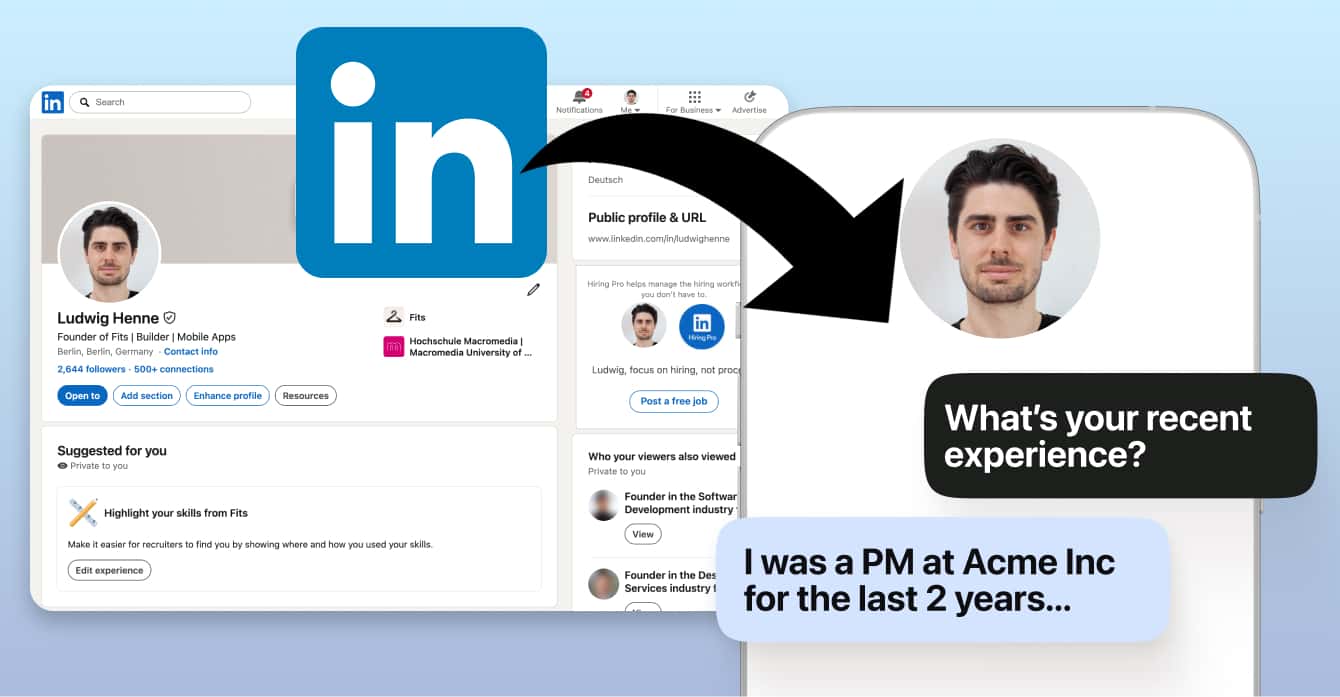
Instead of typing out your career history, feed Chatmake your LinkedIn profile. Two ways to do this:
Option A: Import via URL. Paste your LinkedIn profile URL (linkedin.com/in/yourname) into Chatmake's website import feature. It extracts your headline, summary, experience, education, and skills automatically.
Option B: Copy-paste. If the URL import doesn't grab everything (LinkedIn can be tricky with privacy settings), just copy the text from your LinkedIn page and paste it into the knowledge editor.
Pro tip: Don't just dump your LinkedIn and call it a day. Add what kind of roles you're looking for, links to projects, your availability, and how to contact you. The more context the bot has, the better the conversations.
Step 3: Set the tone
Configure how the bot talks. For a CV chatbot, go friendly but polished. Not too formal, not too casual.
You also pick your AI engine - OpenAI (GPT), Anthropic (Claude), or Google (Gemini). Any of the three works well.
Step 4: Design your chatbot page
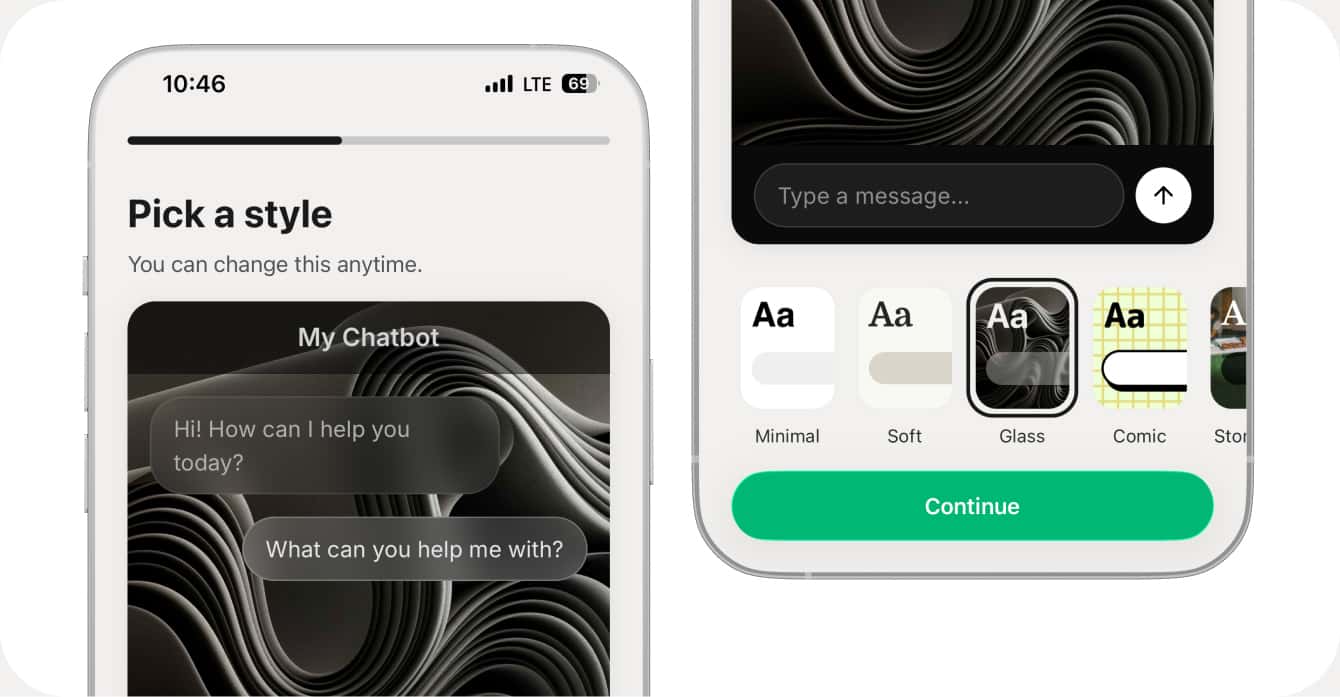
Chatmake gives you a full chat page - not just a widget, but a mini website. Customize colors, add your photo or logo, write a welcome message, and match it to your personal brand. This is what people will see first, so make it look good.
Step 5: Pick your URL and share it everywhere
Your chatbot gets a link at chatmake.app/yourname. Now put it everywhere:
In job applications. Include the link in your cover letter: "Chat with my AI assistant at chatmake.app/yourname."
In your LinkedIn bio. Add it to your contact info or featured section.
In your X bio. Replace your generic link-in-bio with your chatbot.
On your website. Add a "Chat with my AI" button as an interactive alternative to your About page.
In email signatures. Every email becomes a subtle way to direct people to your interactive CV.
What to add beyond LinkedIn
Your LinkedIn is a starting point, but the best CV chatbots go further:
Career highlights with context. Not just "worked at Company X" but what you did, what impact you had, the stories behind the bullet points.
Skills with depth. Don't just list "Python" - add how many years, what frameworks, what projects. The bot gives better answers with better context.
What you're looking for. Roles, industries, deal-breakers. Helps recruiters figure out fit quickly.
Testimonials. Add LinkedIn recommendations so the bot can share real quotes when asked.
Portfolio links and contact info. Make it easy for people to see your work and take the next step.
See it in action
Want to see what a LinkedIn chatbot looks and feels like? I'm Ludwig, the founder of Chatmake, and I built one for myself. Try it out below or on this link: chatmake.app/ludwig. Ask about my background, what I'm working on, or anything else. That's exactly what yours will look like.
Frequently asked questions
Is this free?
Chatmake's free plan includes 10 conversations per month. Pro unlocks unlimited conversations.
Can recruiters use it without signing up?
Yes. Anyone with the link can chat in their browser. No account needed, no app download.
Will the bot make things up about me?
No. The bot only answers from the knowledge you provide. If it doesn't know, it says so.
Can I see what people ask?
Yes. Chatmake tracks all conversations - every question, every answer, visitor location included.
Does it replace my regular CV?
No. Think of it as an addition that makes your application stand out from the pile.
Can I use this as a freelancer instead of for job hunting?
Absolutely. Load it up with your services, case studies, pricing, and testimonials. Share the link with prospects.
What if my LinkedIn is set to private?
Just copy the text from your LinkedIn page and paste it into Chatmake manually. Takes an extra minute.
Your LinkedIn is a static page in a world moving toward conversation. Turning it into an AI chatbot gives you something no other applicant has - an interactive experience people actually remember.
Ready to try it? Download Chatmake and turn your career into a conversation ✨